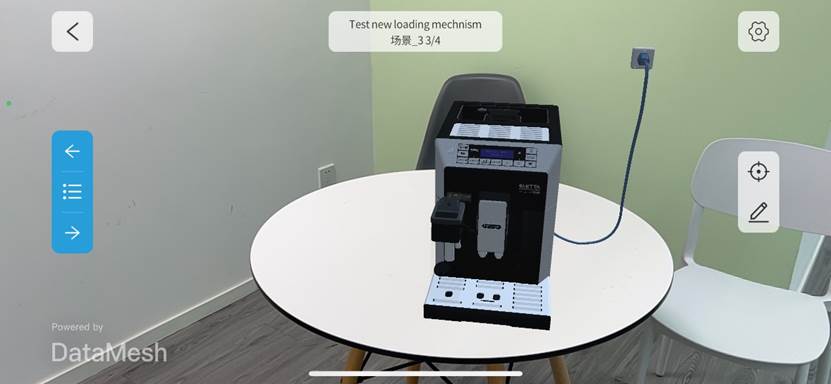
New Model Loading Mechanism Introduction
1. Overview
The February 2025 update, Version 2412 with build 7.3.0, introduces a new model loading mechanism designed to improve model loading performance. The new and earlier mechanisms run in parallel, so teams should check compatibility across client versions before using the new flow in production work.
2. Features of the new model loading mechanism
- Faster loading speed: The new mechanism improves model loading speed compared with the earlier mechanism.
- Broader format support in future versions: Future releases will gradually expand supported model formats.
- No additional acceleration service required: The new mechanism provides optimization without depending on an additional acceleration service.
3. Scope of impact
Supported client products
| Product | New mechanism status | Notes |
|---|---|---|
| DataMesh Importer | Requires manual activation by the user | Activation path: Settings > Beta Features > New Model Loading Experience |
| DataMesh Studio | Enabled by default in version 2412, with no switch option | When opening a scenario, the model loading method is automatically adapted based on the upload mechanism. |
| DataMesh One | Enabled by default in version 2412, with no switch option | When opening a scenario or model, the model loading method is automatically adapted based on the upload mechanism. |
| FactVerse Designer | Enabled by default in version 2412, with no switch option | When opening a scene, the model loading method is automatically adapted based on the upload mechanism. |
| FactVerse platform model upload | Uses the earlier loading mechanism | Models uploaded directly through the platform keep the earlier loading path. |
Client product and model compatibility
| Type | New model, uploaded with the new mechanism | Old model, uploaded with the earlier mechanism |
|---|---|---|
| New client, version 2412 or above | Defaults to the new model loading mechanism | Continues to use the earlier loading mechanism. Some areas may show differences, such as shape or material presentation. |
| Old client, below version 2412 | Uses the earlier loading mechanism and does not receive the new acceleration effect | Continues to use the earlier loading mechanism. |
Definitions:
- New client: DataMesh Importer, DataMesh Studio, FactVerse Designer, or DataMesh One version 2412 or above.
- Old client: DataMesh Importer, DataMesh Studio, FactVerse Designer, or DataMesh One below version 2412.
- New model: A model uploaded by using the new mechanism.
- Old model: A model uploaded by using the earlier mechanism.
4. Known issues
- Apple Vision Pro compatibility issue: Opening models uploaded with the new mechanism, or scenarios that contain new models, may cause the client to crash.
- Mesh structure changes: The new mechanism may change the model mesh structure and affect shape presentation.
- Material effect differences: Some model materials may look different from the earlier mechanism.
- Animation anomalies: Some models may experience animation issues.
5. Trial and feedback
- Validate the new loading mechanism in a test environment before applying it to production work.
- If issues appear with a new model, disable the new loading mechanism and upload the model again.
- Record and report abnormalities so the loading mechanism can continue to improve.
6. Trial process
The trial process for the new loading mechanism is shown below.
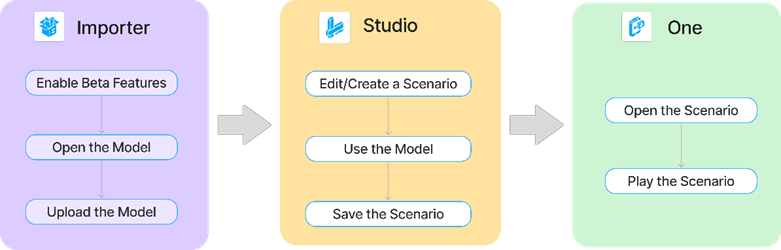
DataMesh Importer
- Log in to DataMesh Importer.
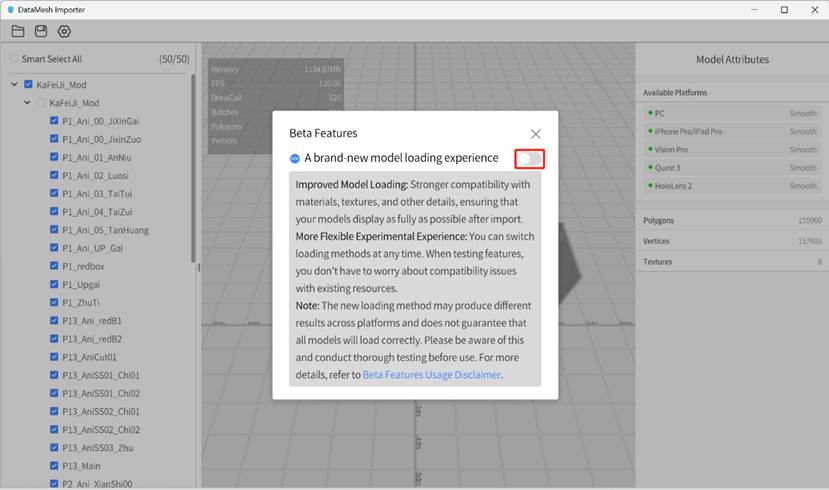
- Enable beta features.
- Click the Settings button and select Beta Features from the menu.
- In the popup window, enable the experimental feature switch.
- Click OK in the information prompt.
- After closing the window, the workspace displays a message indicating that beta features are being used.
- Open the model.
- Select nodes.
- Edit the material if needed.
- Upload the model.
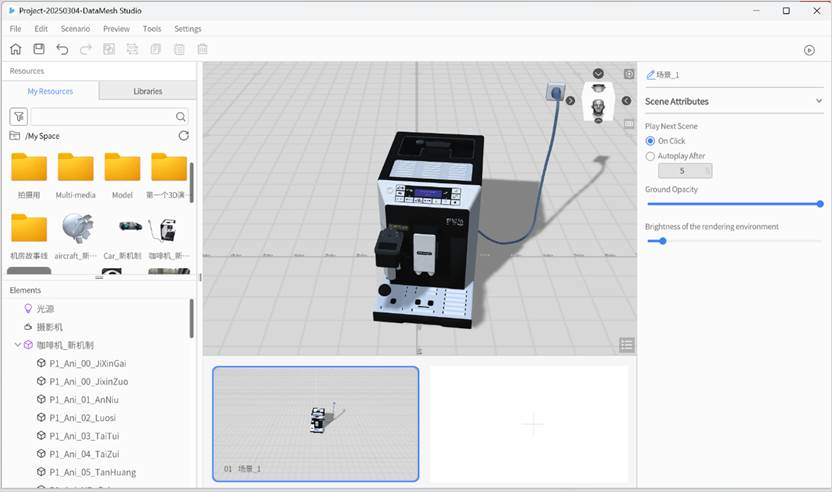
DataMesh Studio
- Log in to DataMesh Studio.
- Edit or create a scenario that uses the model uploaded with the new loading mechanism.
- Save the scenario.
DataMesh One
- Log in to DataMesh One.
- Open the scenario.
- Play the scenario.