คำแนะนำงานบำรุงรักษา
คู่มือ 3D และ mixed reality ช่วยทำให้ขั้นตอนบำรุงรักษาซับซ้อนเข้าใจง่าย เพิ่มความถูกต้อง และลด downtime
สร้าง SOP 3D XR ด้วยการลากและวาง
DataMesh Director เป็นแพลตฟอร์ม no-code สำหรับสร้างคอนเทนต์ 3D และ mixed reality แบบโต้ตอบ ทีมการผลิต การฝึกอบรม และปฏิบัติการสามารถสร้างคู่มือทีละขั้นตอน SOP และสถานการณ์ฝึกอบรมจากโมเดล 3D ที่มีอยู่ได้
ความสามารถหลักที่สร้างคุณค่าด้านการปฏิบัติงานตามที่หน้าเพจนี้นำเสนอ
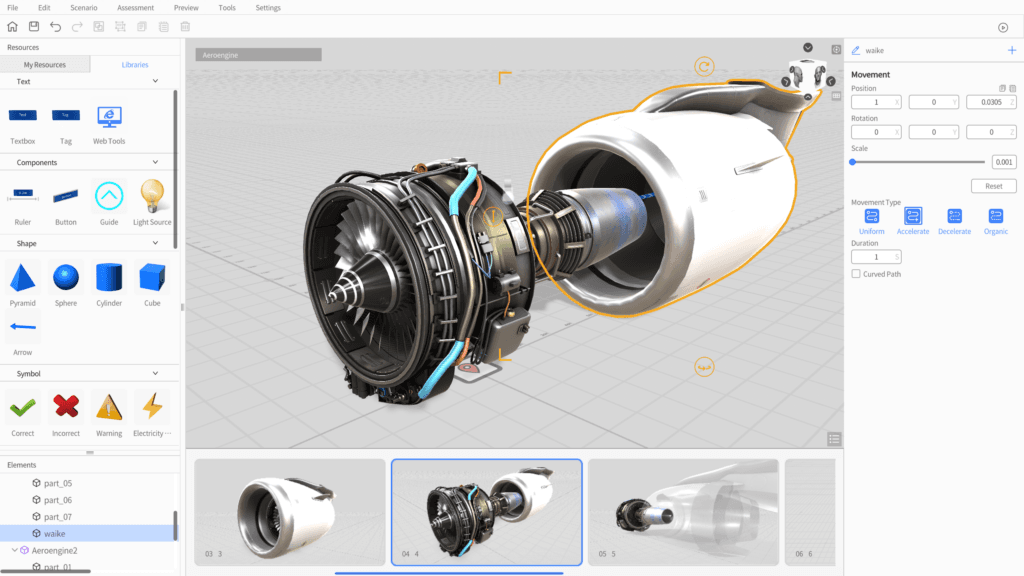
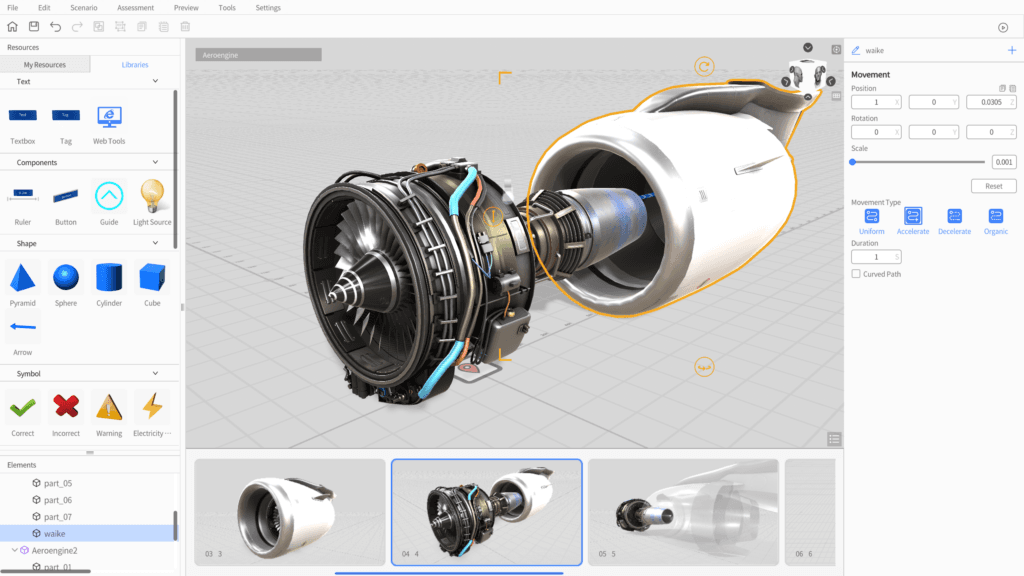
ลากและวางโมเดล CAD, BIM และ 3D ลงบนแคนวาส ปรับตำแหน่ง หมุน และปรับขนาดอย่างแม่นยำ สิ่งที่เห็นใน Studio คือสิ่งที่ผู้ปฏิบัติงานเห็นบนอุปกรณ์
สร้างเวิร์กโฟลว์แบบแตกแขนงด้วยการแตะ สายตา ระยะใกล้ และตัวจับเวลา เชื่อมเหตุการณ์เป็นต้นไม้การตัดสินใจของ SOP
เพิ่มมุมมองแยกชิ้นส่วน เส้นทางการเคลื่อนที่ overlay แบบ X-ray และ marker ลงบนวัตถุ 3D เพื่ออธิบายลำดับการประกอบ
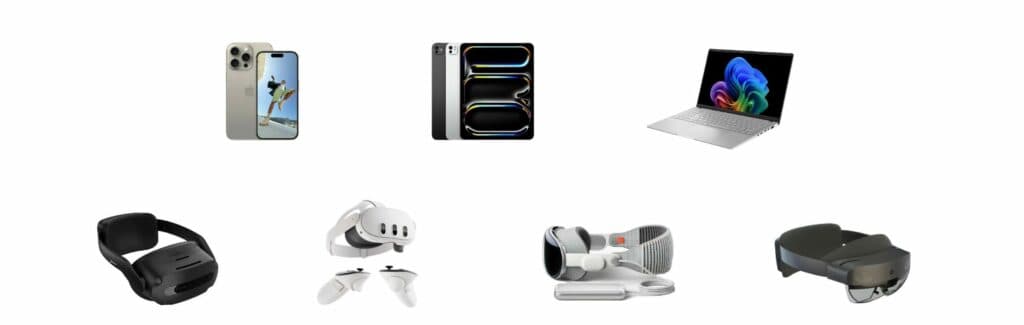
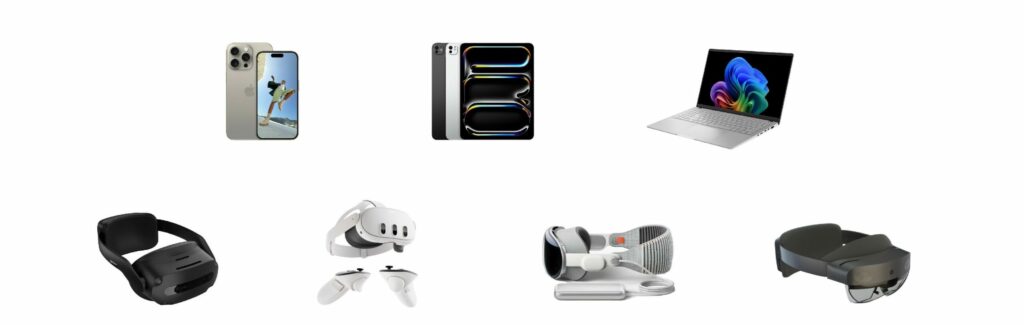
สร้างครั้งเดียวใน DataMesh Studio แล้วใช้งานบน Apple Vision Pro, Meta Quest, iOS, Android, Windows และ Web
ผู้ใช้หลายคนเข้าร่วมเซสชัน mixed reality เดียวกัน ดูฉาก 3D ร่วมกัน และใส่หมายเหตุในบริบทจริง
เผยแพร่สถานการณ์ไปยัง FactVerse เพื่อควบคุมเวอร์ชัน กำหนดสิทธิ์ตามบทบาท และวิเคราะห์การใช้งานเพื่อวัดผลการฝึกอบรม
ตัวอย่างการใช้งานจริงและสถานการณ์ที่พิสูจน์แล้วในหลายอุตสาหกรรม
คู่มือ 3D และ mixed reality ช่วยทำให้ขั้นตอนบำรุงรักษาซับซ้อนเข้าใจง่าย เพิ่มความถูกต้อง และลด downtime
เวิร์กโฟลว์ประกอบทีละขั้นตอนจากโมเดล 3D อุตสาหกรรมช่วยมาตรฐานกระบวนการและเพิ่มประสิทธิภาพในสายการผลิต
คอนเทนต์ immersive ฝึกอบรมพนักงานเรื่องความปลอดภัย สนับสนุน compliance และลดความเสี่ยงในสถานที่ทำงาน
คู่มือภาพ 3D ช่วยให้ช่างวิเคราะห์และแก้ไขปัญหาอุปกรณ์ได้เร็วขึ้น
การนำเสนอ 3D แบบโต้ตอบช่วยอธิบายเครื่องจักรและระบบอุตสาหกรรมที่ซับซ้อนให้เข้าใจง่าย
คอนเทนต์ 3D ที่ใช้ซ้ำได้ช่วยบันทึกความเชี่ยวชาญและทำให้ทีมเข้าถึงความรู้ได้ง่าย
DataMesh Director เป็นแพลตฟอร์ม no-code ที่ทรงพลังสำหรับสร้างเนื้อหา 3D แบบโต้ตอบและ Mixed Reality ออกแบบสำหรับอุตสาหกรรมการผลิต การฝึกอบรม และการปฏิบัติงาน ช่วยให้สร้างคู่มือทีละขั้นตอนแบบ Immersive, เวิร์กโฟลว์ และสถานการณ์การฝึกอบรมได้อย่างง่ายดาย
Director ประกอบด้วยสองแอปพลิเคชัน:
| แพลตฟอร์ม | แอป | หมายเหตุ |
|---|---|---|
| Windows | DataMesh Studio, DataMesh One | สร้าง + เล่นเต็มรูปแบบ |
| macOS (Apple Silicon) | DataMesh Studio | สร้างเนื้อหา |
| iPadOS | DataMesh Studio | สร้างเนื้อหา |
| Apple Vision Pro | DataMesh One | เล่น Spatial Computing |
| Meta Quest 3 / 3S | DataMesh One | เล่น VR/MR แบบ Standalone |
| iOS / iPhone | DataMesh One | เล่น AR มือถือ |
| ARCore Android | DataMesh One | เล่น AR มือถือ |
| HoloLens 2 | DataMesh One | เวอร์ชันที่รองรับล่าสุด: 6.2.3 |
DataMesh Director มีตัวเลือก สมัครสมาชิก SaaS และ การติดตั้งส่วนตัว
| Director | Designer | |
|---|---|---|
| วัตถุประสงค์ | สร้าง SOP ทีละขั้นตอนสำหรับการฝึกอบรม | ออกแบบ Digital Twin สำหรับการตรวจสอบสิ่งอำนวยความสะดวก |
| เครื่องมือหลัก | DataMesh Studio — ตัวแก้ไขสถานการณ์ภาพ | FactVerse Designer — ตัวสร้างฉากด้วย Behavior Tree |
| ผลลัพธ์ | XR Walkthrough, SOP และสถานการณ์ฝึกอบรม | สภาพแวดล้อม 3D ที่ขับเคลื่อนด้วยข้อมูลแบบเรียลไทม์ |
| ข้อมูล | เนื้อหาครบในตัว ไม่ต้องใช้ข้อมูลภายนอก | เชื่อมต่อ IoT/BMS แบบเรียลไทม์ผ่าน Data Fusion Services |
| เล่นบน | DataMesh One (Vision Pro, Quest, iOS, Android, Windows) | Inspector, DataMesh One, แดชบอร์ดเว็บ |
| เหมาะสำหรับ | ผู้จัดการฝึกอบรม, ทีม L&D, วิศวกรภาคสนาม | ผู้จัดการสิ่งอำนวยความสะดวก, ทีมปฏิบัติงาน |
เลือก Director เมื่อคุณต้องสอนใครบางคนวิธีทำงาน เลือก Designer เมื่อคุณต้องแสดงให้เห็นว่ากำลังเกิดอะไรขึ้นในสถานที่
ทีมมักตรวจสอบคุณค่าด้านการปฏิบัติงานผ่านโครงการนำร่องแบบมุ่งเป้า เช่น การมองเห็นงานที่ดีขึ้น การทำงานที่สม่ำเสมอขึ้น บันทึกที่ชัดเจนขึ้น การส่งต่องานที่เร็วขึ้น และหลักฐานประกอบการตัดสินใจที่ครบถ้วนขึ้น ผลลัพธ์จริงขึ้นอยู่กับขอบเขตไซต์ ความพร้อมของข้อมูล ความ成熟ของกระบวนการ และระดับการขยายผล
DataMesh Director คือแพลตฟอร์ม no-code สำหรับสร้างคอนเทนต์ 3D และ mixed reality แบบโต้ตอบ ประกอบด้วย DataMesh Studio สำหรับสร้างคอนเทนต์ และ DataMesh One สำหรับเล่นและทำงานร่วมกัน
DataMesh Studio ใช้ได้บน macOS, iPadOS และ Windows ส่วน DataMesh One รองรับ Apple Vision Pro, Meta Quest 3/3S, iOS, Android ที่ผ่าน ARCore และ Windows เวอร์ชันสุดท้ายที่รองรับ HoloLens 2 คือ 6.2.3
ไม่ต้อง Director ช่วยให้สร้างคอนเทนต์ 3D และ mixed reality ได้โดยไม่ต้องเขียนโปรแกรม ทีมธุรกิจจึงสร้าง SOP และสื่อฝึกอบรมได้เอง
มี สามารถสมัครทดลองใช้ฟรีผ่านเว็บไซต์หรือขอนัดเดโมได้ รองรับทั้ง SaaS subscription และ private deployment
ดูว่าผลิตภัณฑ์นี้สนับสนุนกรณีใช้งานจริงอย่างไร