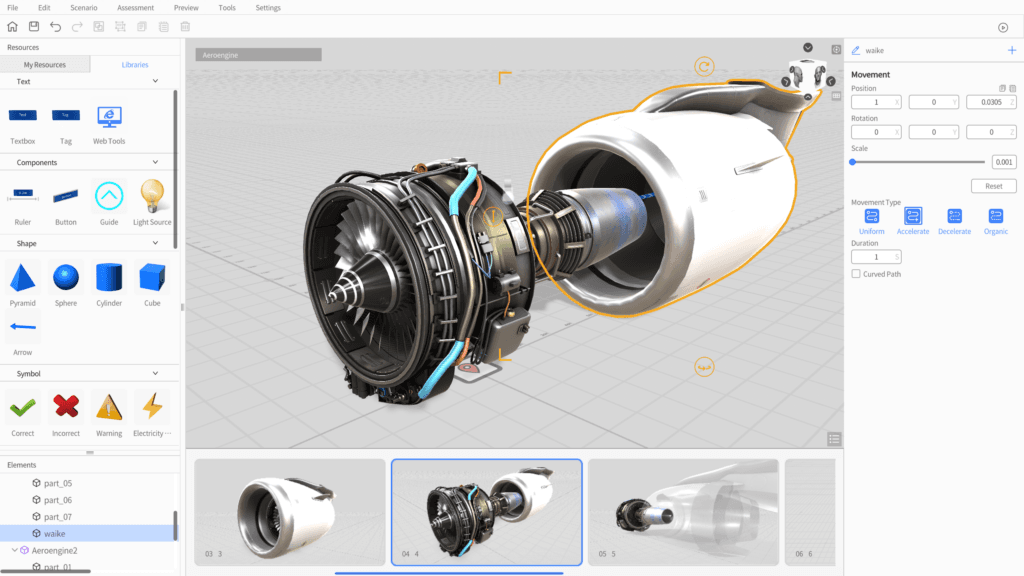
Instructions de maintenance
Des guides 3D et mixed reality simplifient les opérations de maintenance complexes, améliorent la précision et réduisent les arrêts.
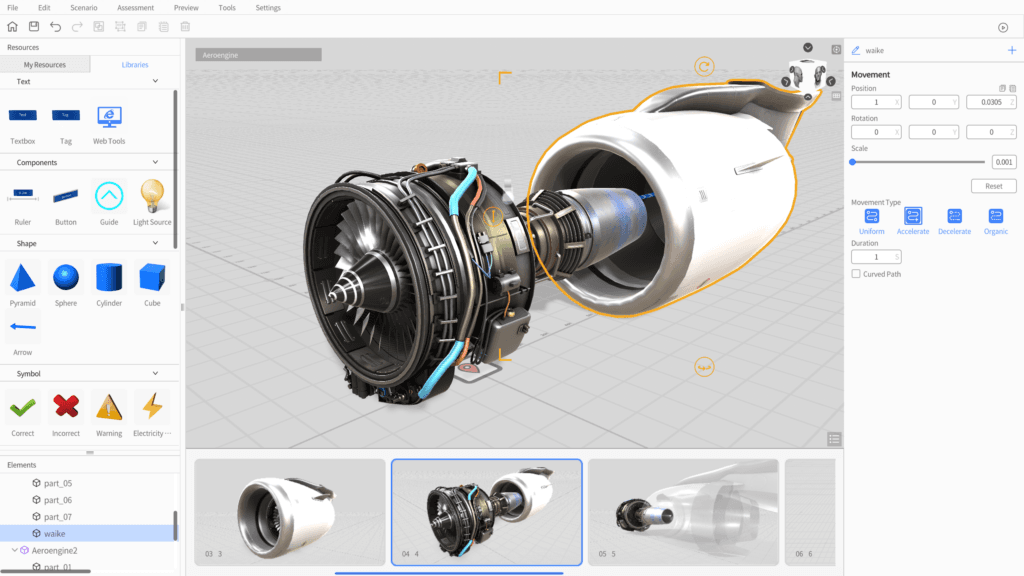
Créer des SOP 3D XR par glisser-déposer
DataMesh Director est une plateforme no-code pour créer des contenus 3D et mixed reality interactifs. Les équipes de fabrication, formation et opérations peuvent produire des guides étape par étape, SOP et scénarios de formation à partir de modèles 3D existants.
Les capacités qui structurent la valeur opérationnelle présentée sur cette page.
Glissez-déposez des modèles CAD, BIM et 3D sur un canevas visuel, avec positionnement, rotation et échelle précis. Ce que vous voyez dans Studio est ce que les équipes voient sur l’appareil.
Créez des workflows ramifiés avec toucher, regard, proximité et minuteurs. Les chaînes d’événements forment des arbres de décision SOP.
Ajoutez vues éclatées, trajectoires, transparences rayon X et annotations aux objets 3D. Animez les séquences d’assemblage étape par étape.
Créez une fois dans DataMesh Studio, puis diffusez sur Apple Vision Pro, Meta Quest, iOS, Android, Windows et le Web.
Plusieurs utilisateurs rejoignent la même session mixed reality, annotent directement la scène et accélèrent les cycles de validation.
Publiez les scénarios dans FactVerse pour le versioning, les accès par rôle et l’analyse d’usage. Les équipes L&D mesurent le ROI de la formation.
Applications concrètes et scénarios éprouvés dans différents secteurs.
Des guides 3D et mixed reality simplifient les opérations de maintenance complexes, améliorent la précision et réduisent les arrêts.
Des workflows de montage pas à pas avec modèles 3D industriels standardisent les processus et améliorent l’efficacité des lignes.
Des contenus immersifs forment les équipes aux règles de sécurité, soutiennent la conformité et réduisent les risques.
Des guides visuels 3D aident les techniciens à diagnostiquer et résoudre les problèmes plus vite.
Des présentations 3D interactives rendent les équipements industriels et systèmes complexes plus compréhensibles.
Des contenus 3D réutilisables documentent l’expertise et la rendent accessible aux équipes.
DataMesh Director est une plateforme no-code puissante pour créer du contenu 3D interactif et de réalité mixte. Conçue pour l'industrie, la formation et les opérations, elle permet de construire facilement des guides pas-à-pas immersifs, des workflows et des scénarios de formation.
Director se compose de deux applications :
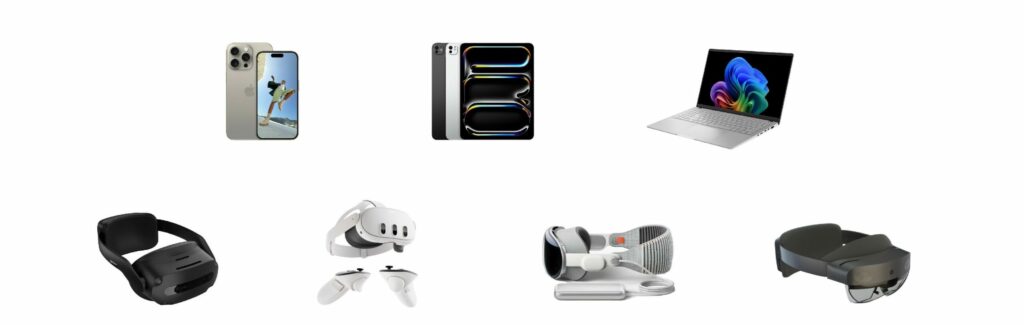
| Plateforme | App | Notes |
|---|---|---|
| Windows | DataMesh Studio, DataMesh One | Création + lecture complète |
| macOS (Apple Silicon) | DataMesh Studio | Création de contenu |
| iPadOS | DataMesh Studio | Création de contenu |
| Apple Vision Pro | DataMesh One | Lecture en informatique spatiale |
| Meta Quest 3 / 3S | DataMesh One | Lecture VR/MR autonome |
| iOS / iPhone | DataMesh One | Lecture AR mobile |
| ARCore Android | DataMesh One | Lecture AR mobile |
| HoloLens 2 | DataMesh One | Dernière version supportée : 6.2.3 |
DataMesh Director propose des options abonnement SaaS et déploiement privé.
| Director | Designer | |
|---|---|---|
| Objectif | Création de SOPs pas-à-pas pour la formation | Conception de jumeau numérique opérationnel pour le suivi |
| Outil | DataMesh Studio — éditeur visuel de scénarios | FactVerse Designer — constructeur de scènes |
| Résultat | Parcours XR interactifs, SOPs et scénarios | Environnements 3D avec données en temps réel |
| Données | Contenu autonome ; aucune donnée externe | Connexion IoT/BMS en direct via Data Fusion Services |
| Lecture | DataMesh One (Vision Pro, Quest, iOS, Android, Windows) | Inspector, DataMesh One et tableaux de bord |
| Idéal pour | Responsables formation, équipes L&D | Gestionnaires d'installations, équipes opérations |
Choisissez Director quand vous devez enseigner comment réaliser une tâche. Choisissez Designer quand vous devez montrer ce qui se passe dans une installation.
Les équipes valident la valeur opérationnelle par un pilote ciblé : meilleure visibilité, exécution plus cohérente, dossiers plus propres, passages de relais plus rapides et preuves plus claires pour la décision. L'impact dépend du périmètre du site, de la maturité des données, des processus et du déploiement.
DataMesh Director est une plateforme no-code pour créer des contenus 3D et mixed reality interactifs. Elle comprend DataMesh Studio pour la création et DataMesh One pour la lecture et la collaboration.
DataMesh Studio fonctionne sur macOS, iPadOS et Windows. DataMesh One est disponible sur Apple Vision Pro, Meta Quest 3/3S, iOS, appareils Android certifiés ARCore et Windows. La dernière version prise en charge pour HoloLens 2 est la 6.2.3.
Non. Director permet de créer des contenus 3D et mixed reality sans programmation, afin que les équipes métier puissent produire leurs SOP et supports de formation.
Oui. Vous pouvez demander un essai gratuit ou planifier une démonstration. Les options SaaS et déploiement privé sont disponibles.
Découvrez comment ce produit soutient des cas d’usage réels.