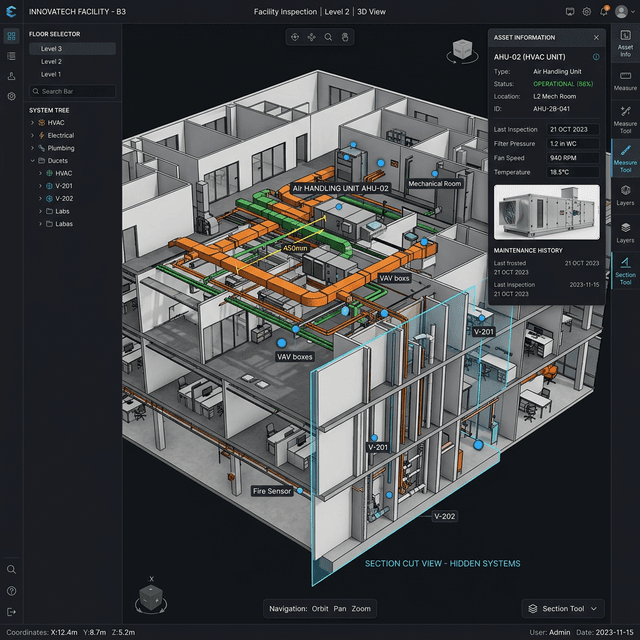
Digital-Twin-Ansicht
Immersive 3D-Ansichten unterstützen Begehung, Ebenen, Asset-Inspektion und räumliche Analyse für schnellere Prüfungen.
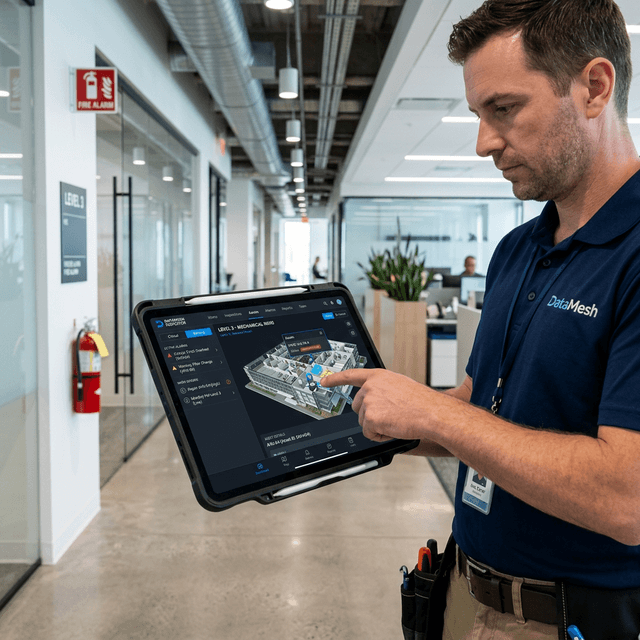
Facility Maintenance als visueller Closed-Loop-Workflow
DataMesh Inspector macht Facility Maintenance zu einem visuellen, geschlossenen Workflow. Inspector 8.0 vereint Digital Twin, Live-Gebäudedaten, Alarme, Arbeitsaufträge und KI-Unterstützung für schnellere Fehlerbehebung.
Diese Fähigkeiten bilden die Grundlage für den dargestellten operativen Nutzen.
Anlagen nach Gebäude, Etage, System und Asset in 3D navigieren. Parameter, Status und Live-Dashboards direkt am Asset öffnen.
Spezifikationen, Dokumente, Brick-Beziehungen, Status, Wartungspläne, Inspektionspläne und Historie in einer digitalen Asset-Akte pflegen.
Alarme aus Umgebung und Geräten zusammenführen, bestätigen, Quellen verfolgen und Wartungsaufgaben mit intelligenten Empfehlungen erzeugen.
Arbeitsaufträge erstellen, zuweisen, ausführen und verifizieren. Manuell, zeitgesteuert oder automatisch aus IoT-Alarmen.
Handbücher und Historie per natürlicher Sprache durchsuchen, KI-Diagnosen und empfohlene Aktionen erhalten und Dokumentation reduzieren.
Green-Mark-Workflows unterstützen, indem Betriebsdaten und Wartungsnachweise strukturiert gesammelt, organisiert und nachvollziehbar gemacht werden.
Praktische Anwendungen und bewährte Szenarien aus verschiedenen Branchen.
Immersive 3D-Ansichten unterstützen Begehung, Ebenen, Asset-Inspektion und räumliche Analyse für schnellere Prüfungen.
Dashboards zeigen Asset-Verteilung und Zustand; Alarmpriorisierung und Kanban machen Dispatch und Abnahme transparent.
Digitale Modelle werden mit der physischen Umgebung abgeglichen, Navigationsrouten geführt und KI liefert Parameter, Fälle und SOP-Hinweise.
Inspector 8.0 vereint Digitalzwilling, Live-Gebäudedaten, Alarme, Arbeitsaufträge und KI-Unterstützung für schnellere Fehlerbehebung und konsistente Ausführung.
Teams validieren den operativen Nutzen in einem fokussierten Pilot: bessere Sichtbarkeit, konsistentere Ausführung, sauberere Nachweise, schnellere Übergaben und klarere Entscheidungsgrundlagen. Die konkrete Wirkung hängt von Standortumfang, Datenreife, Prozessreife und Rollout-Tiefe ab.
Starten Sie mit Wartungszielen, prüfen Sie BIM/BMS-Integrationen, konfigurieren Sie die Plattform mit DataMesh oder einem Partner, pilotieren Sie und rollen Sie sie teamweit aus.
Über DataMesh FactVerse Data Fusion Services können CMMS-, EAM-, BMS-, IoT- und weitere Betriebssysteme über APIs, Webhooks und Standardschnittstellen angebunden werden, sodass Betriebsdaten, Gerätestatus und Arbeitsaufträge in einer einheitlichen Ansicht zusammengeführt werden.
Inspector unterstützt derzeit iPad und iPhone für AR-Workflows. Die Client-Architektur wird für künftige AR-Brillen weiter modularisiert.
Green Mark wird von der Building and Construction Authority in Singapur bewertet. Inspector hilft, Workflows, Nachweise und Verifizierungsunterlagen vorzubereiten.
Sehen Sie, wie dieses Produkt reale Anwendungsfälle unterstützt.