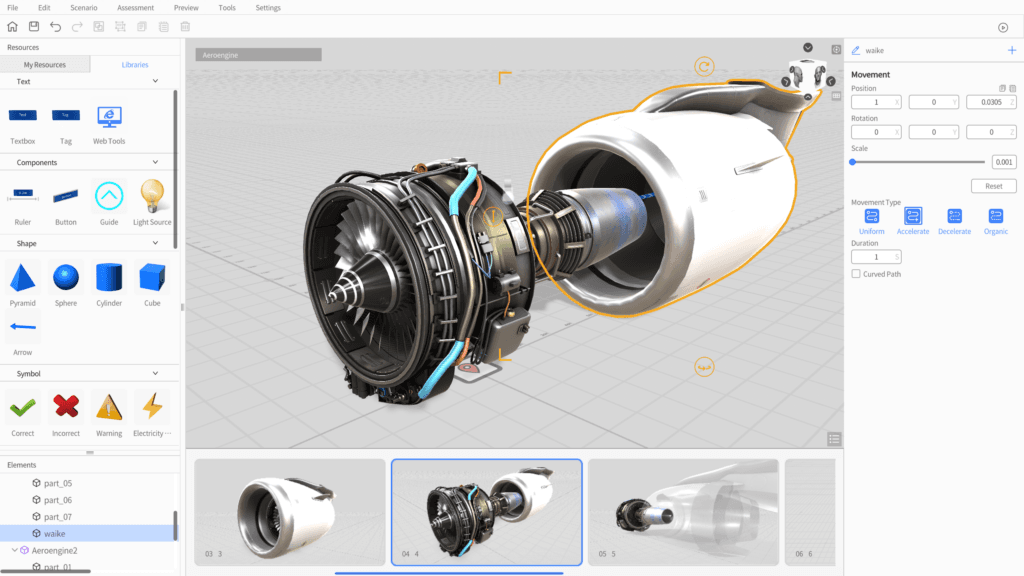
Wartungsanleitungen
3D- und Mixed-Reality-Anleitungen vereinfachen komplexe Wartungsabläufe, erhöhen Genauigkeit und reduzieren Stillstand.
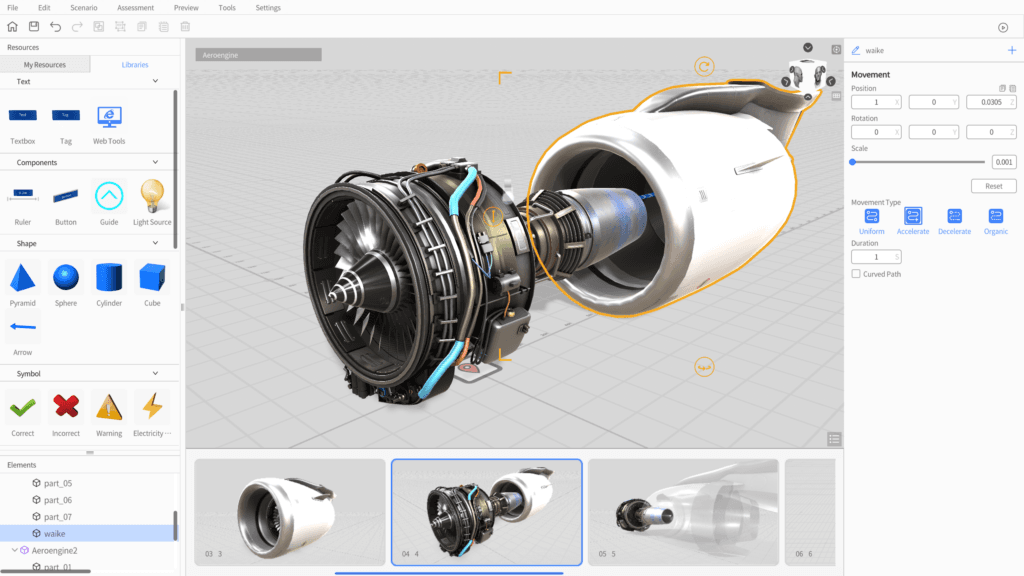
3D-XR-SOPs per Drag-and-drop erstellen
DataMesh Director ist eine No-Code-Plattform zum Erstellen interaktiver 3D- und Mixed-Reality-Inhalte. Teams in Fertigung, Training und Betrieb erstellen Schritt-für-Schritt-Anleitungen, SOPs und Schulungsszenarien aus vorhandenen 3D-Modellen.
Diese Fähigkeiten bilden die Grundlage für den dargestellten operativen Nutzen.
CAD-, BIM- und 3D-Modelle per Drag-and-drop auf einer visuellen Arbeitsfläche positionieren, drehen und skalieren. Was im Studio sichtbar ist, erscheint später genauso auf dem Endgerät.
Verzweigte Workflows mit Tippen, Blickrichtung, Nähe und Timern aufbauen. Ereignisketten bilden SOP-Entscheidungsbäume und leiten Mitarbeitende automatisch zur richtigen Aktion.
Explosionsansichten, Bewegungspfade, Röntgen-Overlays und Marker an 3D-Objekte anheften. Montageabläufe Schritt für Schritt animieren.
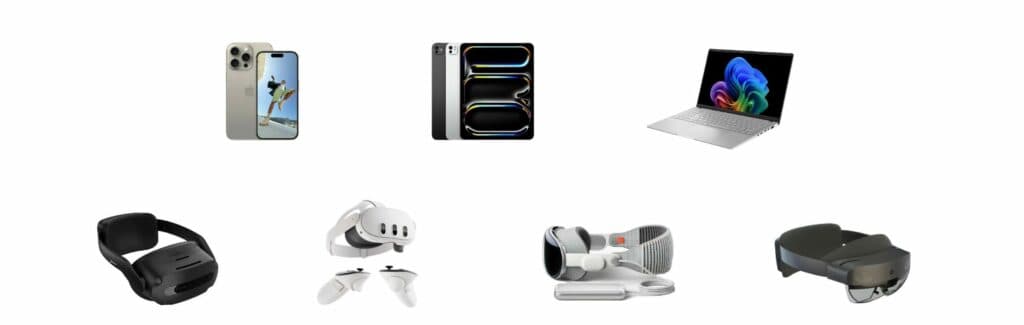
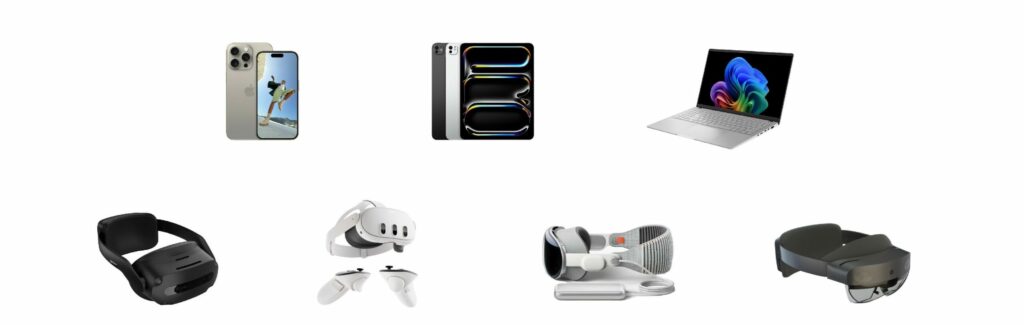
Einmal in DataMesh Studio erstellen und auf Apple Vision Pro, Meta Quest, iOS, Android, Windows und Web wiedergeben. Inhalte passen sich dem Arbeitsgerät an.
Mehrere Nutzer betrachten dieselbe Mixed-Reality-Szene vor Ort, kommentieren direkt im Kontext und verkürzen Review-Zyklen für SOP-Inhalte.
Szenarien zur Versionskontrolle, rollenbasierten Freigabe und Nutzungsanalyse in FactVerse veröffentlichen. Trainingswirkung wird messbar.
Praktische Anwendungen und bewährte Szenarien aus verschiedenen Branchen.
3D- und Mixed-Reality-Anleitungen vereinfachen komplexe Wartungsabläufe, erhöhen Genauigkeit und reduzieren Stillstand.
Schrittweise Montage-Workflows mit industriellen 3D-Modellen standardisieren Abläufe und verbessern Effizienz auf der Linie.
Immersive Mixed-Reality-Inhalte trainieren Sicherheitsabläufe, unterstützen Compliance und reduzieren Arbeitsplatzrisiken.
Visuelle 3D-Anleitungen helfen Technikern, Störungen schneller zu diagnostizieren und zu beheben.
Interaktive 3D-Präsentationen erklären Industrieanlagen und komplexe Systeme verständlicher für Kunden und Teams.
Wiederverwendbare 3D-Inhalte dokumentieren Expertenwissen und machen es teamübergreifend zugänglich.
DataMesh Director ist eine leistungsstarke No-Code-Plattform zur Erstellung interaktiver 3D- und Mixed-Reality-Inhalte. Entwickelt für Branchen wie Fertigung, Schulung und Betrieb ermöglicht sie den einfachen Aufbau immersiver Schritt-für-Schritt-Anleitungen, Workflows und Schulungsszenarien. Durch die Nutzung vorhandener 3D-Modelle verbessert DataMesh Director die Kommunikation, beschleunigt das Lernen und steigert die Betriebseffizienz.
Director besteht aus zwei Anwendungen:
| Plattform | App | Hinweise |
|---|---|---|
| Windows | DataMesh Studio, DataMesh One | Vollständige Erstellung + Wiedergabe |
| macOS (Apple Silicon) | DataMesh Studio | Content-Erstellung |
| iPadOS | DataMesh Studio | Content-Erstellung |
| Apple Vision Pro | DataMesh One | Spatial Computing Wiedergabe |
| Meta Quest 3 / 3S | DataMesh One | Standalone VR/MR-Wiedergabe |
| iOS / iPhone | DataMesh One | Mobile AR-Wiedergabe |
| ARCore Android | DataMesh One | Mobile AR-Wiedergabe |
| HoloLens 2 | DataMesh One | Letzte unterstützte Version: 6.2.3 |
Auch verfügbar: DataMesh Director für Sony Spatial Reality Display — brillenfreies 3D.
DataMesh Director bietet sowohl SaaS-Abonnement als auch Private-Deployment Optionen.
| Director | Designer | |
|---|---|---|
| Zweck | Schritt-für-Schritt SOP-Erstellung für Schulung & Anleitung | Betriebliche Digitalzwilling-Szenengestaltung für Gebäudeüberwachung |
| Kernwerkzeug | DataMesh Studio — visueller Szenario-Editor | FactVerse Designer — Verhaltensbaum-Szenenbauer |
| Ergebnis | Interaktive XR-Rundgänge, SOPs und Schulungsszenarien | Datengetriebene 3D-Gebäudeumgebungen mit Live-Sensorbindungen |
| Daten | Eigenständige Inhalte; keine externen Daten erforderlich | Live-IoT/BMS-Daten über Data Fusion Services |
| Wiedergabe | DataMesh One (Vision Pro, Quest, iOS, Android, Windows) | Inspector, DataMesh One und Web-Dashboards |
| Ideal für | Schulungsleiter, L&D-Teams, Außendiensttechniker | Gebäudemanager, Betriebsteams, Digitalzwilling-Architekten |
Director wählen — wenn Sie jemandem beibringen müssen, wie eine Aufgabe auszuführen ist. Designer wählen — wenn Sie zeigen müssen, was gerade in einer Anlage passiert.
Teams validieren den operativen Nutzen in einem fokussierten Pilot: bessere Sichtbarkeit, konsistentere Ausführung, sauberere Nachweise, schnellere Übergaben und klarere Entscheidungsgrundlagen. Die konkrete Wirkung hängt von Standortumfang, Datenreife, Prozessreife und Rollout-Tiefe ab.
DataMesh Director ist eine No-Code-Plattform für interaktive 3D- und Mixed-Reality-Inhalte. Sie umfasst DataMesh Studio zur Erstellung und DataMesh One für Wiedergabe und Zusammenarbeit.
DataMesh Studio läuft auf macOS, iPadOS und Windows. DataMesh One unterstützt Apple Vision Pro, Meta Quest 3/3S, iOS, ARCore-zertifizierte Android-Geräte und Windows. Die letzte HoloLens-2-Version ist 6.2.3.
Nein. Director macht 3D- und Mixed-Reality-Content ohne Programmierung erstellbar, damit Fachabteilungen eigene SOPs und Trainingsinhalte pflegen können.
Ja. Sie können eine kostenlose Testversion anfragen oder eine Demo vereinbaren. SaaS-Abonnement und private Bereitstellung sind verfügbar.
Sehen Sie, wie dieses Produkt reale Anwendungsfälle unterstützt.