Twin Runtime
Bring geometry, telemetry, asset structure, and workflow logic into one operational 3D environment.
Core Platform
3D Twin Execution Engine for Complex Operations
The 3D twin execution engine inside the FactVerse platform. FactVerse Twin Engine connects operational data, spatial context, and simulation logic so teams can visualize systems, validate Physical AI decisions, and run executable digital twin workflows across complex facilities.
Scene runtime
Turns 3D assets into a live operational twin.
Data context
Maps telemetry and enterprise signals into space.
Physical AI layer
Supports validation, workflows, and Physical AI applications.
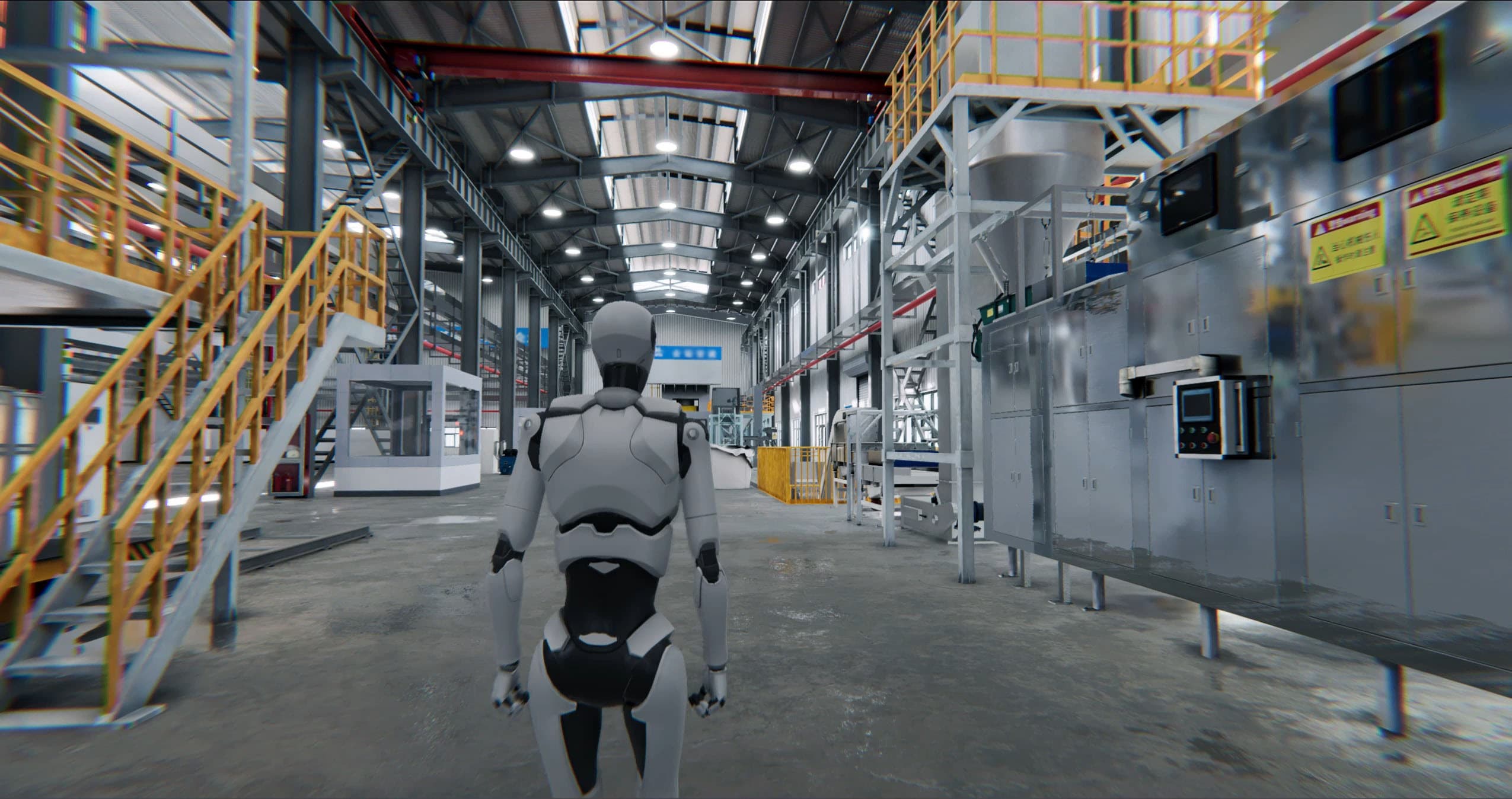
Twin Runtime
Bring geometry, telemetry, asset structure, and workflow logic into one operational 3D environment.
Best Fit
Built for facilities that need visualization, validation, simulation, and guided execution on the same twin foundation.
Platform Modules
Twin Engine provides the 3D runtime that makes industrial digital twins usable in daily operations, Physical AI validation, and application delivery.
Workflow
Step 01
Bring geometry, assets, zones, and equipment relationships into one persistent twin environment.
Step 02
Map live data, reports, schedules, and device state into the scene so the twin reflects actual operations.
Step 03
Use the twin as the execution layer for simulation, Physical AI validation, maintenance, and frontline workflows.
Platform Narrative
FactVerse Twin Engine is the 3D runtime layer inside the broader FactVerse platform. It connects geometry, asset models, telemetry, scene logic, and application workflows so teams can work inside a digital twin that reflects the real operating environment.
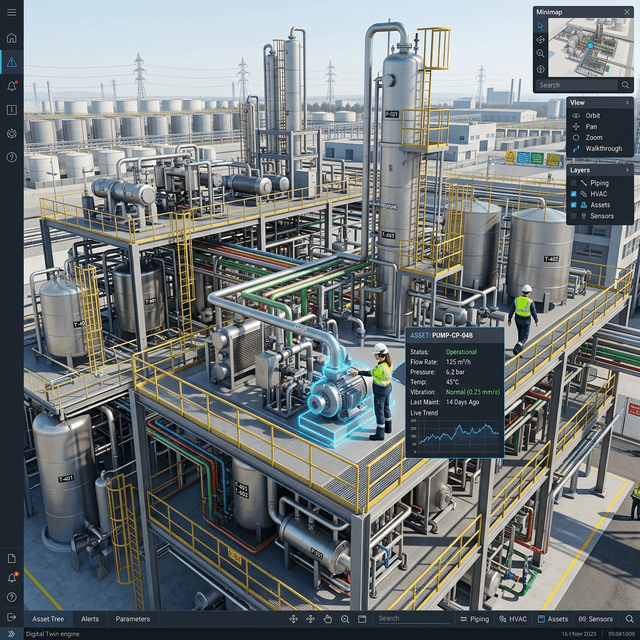
Platform Narrative
Many organizations already have 3D assets, BIM files, CAD models, and operational data, but these resources often remain disconnected. Twin Engine turns them into a usable execution environment where scenes become visible, queryable, bindable, and operationally meaningful.
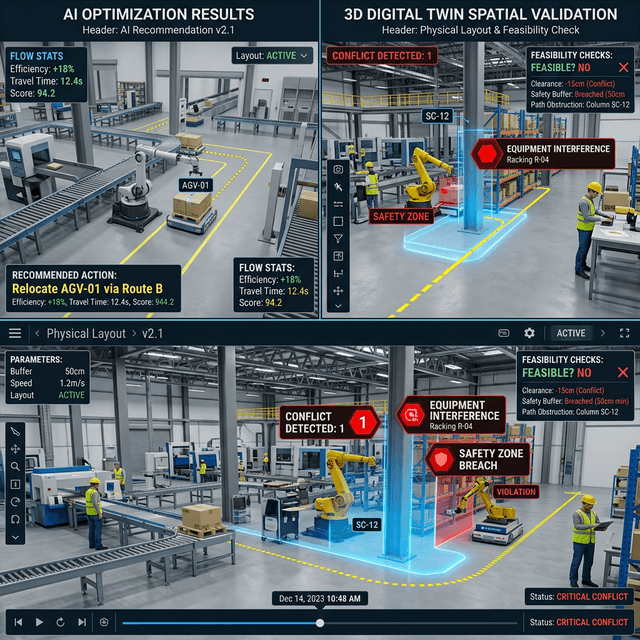
Platform Narrative
Dashboards and reports can explain what changed, but they rarely explain how a Physical AI recommendation interacts with space, equipment dependencies, restricted zones, or workflow sequencing. Twin Engine provides the physical context layer needed to validate operational decisions before they are deployed.
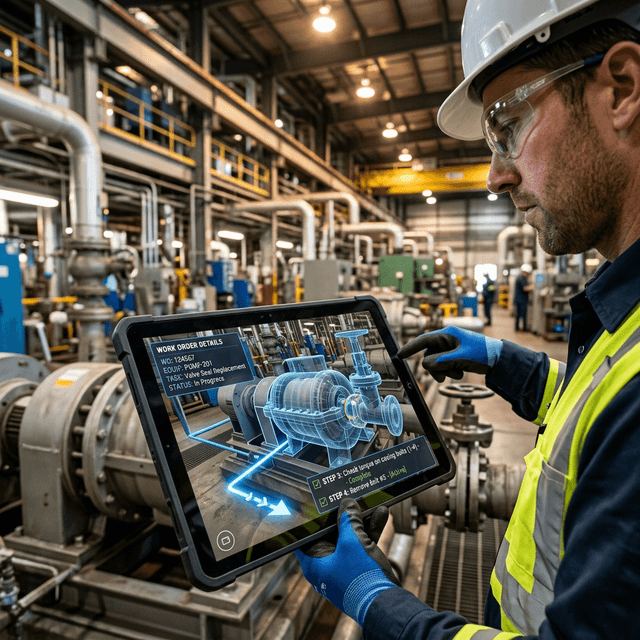
Platform Narrative
Twin Engine is not limited to visualization. It supports inspection workflows, maintenance guidance, training experiences, scenario playback, AI-assisted reasoning, and other applications that require a persistent spatial model of the operating system.
Platform Fit
Twin Engine works with Data Fusion Services for data connectivity, Designer for authoring, and AI Agent for analysis and decision support. Together they create a closed loop from data ingestion to reasoning, scene validation, and operational execution.
Use Cases
Create an operational twin of factories, energy systems, semiconductor facilities, and large sites so teams can inspect asset state in 3D rather than jumping across isolated dashboards.
Use Twin Engine as the physical verification layer for simulations, scheduling changes, maintenance plans, and AI recommendations before they are released into operations.
Support training, inspections, maintenance tasks, and remote assistance with a shared twin environment that maps operational logic back to real equipment and work locations.
FAQ
FactVerse Twin Engine is the runtime and execution layer of the FactVerse platform. It turns 3D scenes, asset context, and live data bindings into an operational digital twin that can support visualization, validation, simulation, and workflow execution.
A viewer shows geometry. Twin Engine supports data bindings, asset relationships, operating logic, scenario execution, and validation workflows so the twin can function as part of a real operational system.
AI Agent can analyze questions and generate recommendations, while Twin Engine provides the physical environment where those recommendations can be checked against layout, assets, and process constraints.
Operations, maintenance, engineering, training, digital transformation, and AI teams use Twin Engine when they need a shared spatial layer to visualize systems and validate actions before execution.
Next Step
FactVerse Twin Engine gives teams a spatial execution layer for visualization, Physical AI validation, and workflow delivery across complex industrial environments.
Continue with the most relevant products, solutions, guides, and public references for this topic.